Chat Input
The trigger that starts an agent conversation when a user types a first message.
What it does
Exposes the agent in the Inbox under "Start new conversation". When a user picks the agent and types, the chat opens and the agent receives the message. From that point on, the conversation is driven by the agent's logic — system instruction, persona, model and knowledge.
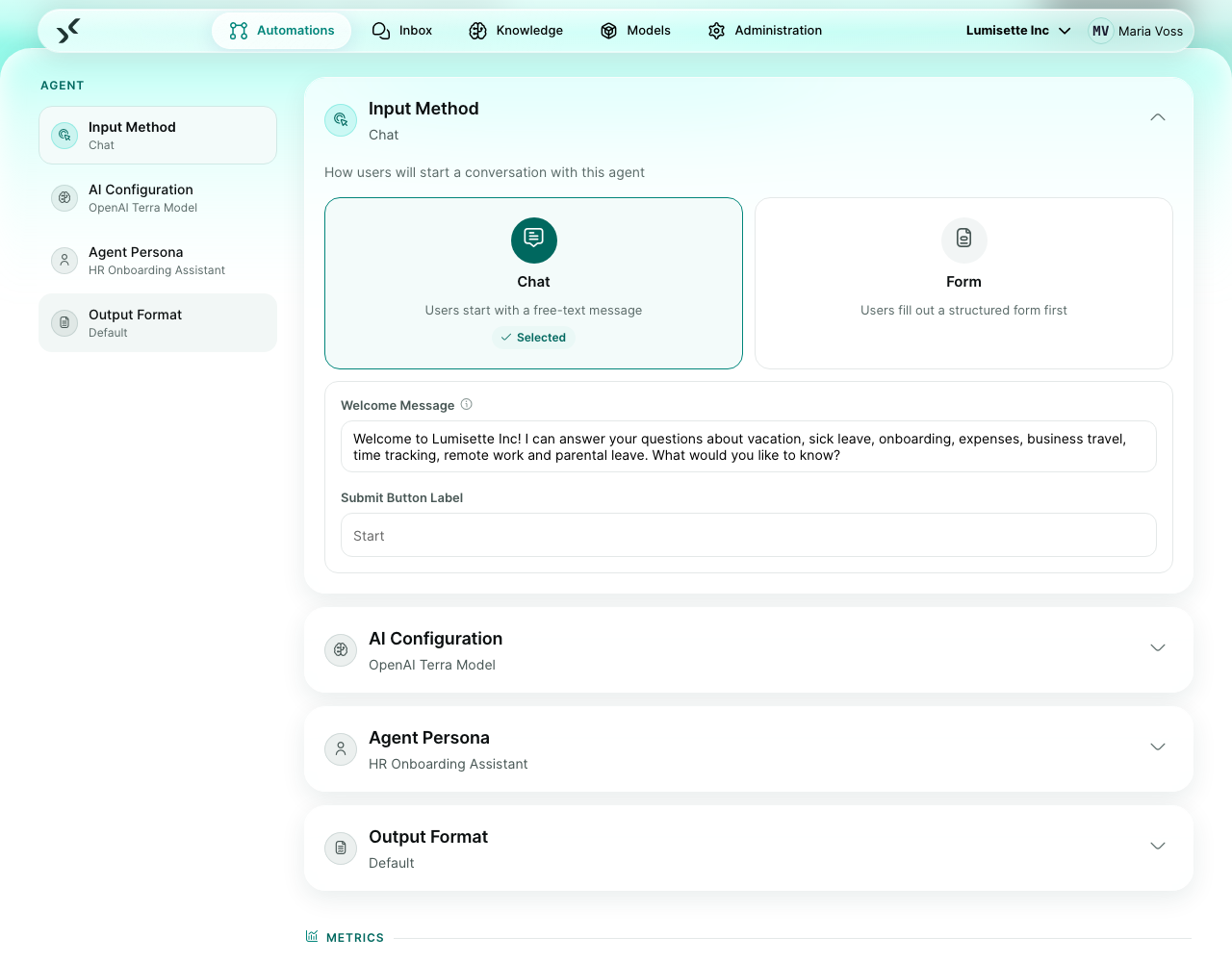
This is one of the two trigger choices available for agent automations (the other is Form Input). You pick between them directly in the agent editor: two cards labeled Chat and Form sit at the top of the trigger section.
What you configure
| Field | What it controls | Required | Notes |
|---|---|---|---|
| Welcome message | Greeting the user sees before sending their first message. | optional | Use it to set expectations: "Hi! Ask me anything about your benefits." |
| Submit label | Text shown on the send button in the chat. | optional | Default is the chat-send icon. Override only if your audience expects a worded button. |
Example scenario
FAQ assistant. An HR onboarding agent uses Chat Input with welcome message "Hi! I'm here to help with your first week. What would you like to know?" and placeholder "Ask about leave, benefits, or your team...". The agent is connected to the HR-handbook knowledge.
Recommendations
- ✅ Keep the welcome message short. Two lines maximum.
- ⚠️ The welcome message is purely cosmetic. It does not count toward the conversation history and the agent does not see it.
- ❌ Do not put instructions for the AI in the welcome message. They belong in the system instruction.
What to do next
- The alternative trigger for structured upfront input: Form Input.
- How to design the agent that uses this trigger: Agents.