Trigger Monitor
A workflow only runs when its trigger fires. If a trigger is broken — bad credentials, unreachable mail server, broken webhook secret — the workflow silently stops working. The Trigger Monitor exists to surface those cases.
The Trigger Monitor lives under Administration → Triggers.
What the page shows
The page lists every active workflow in the workspace alongside the current status of its trigger:
| Status | What it means |
|---|---|
| Pending | The trigger has been requested but has not started yet. Transient state. |
| Starting | The trigger is initializing (connecting to a mail server, registering a cron job, …). |
| Running | The trigger is healthy and listening. The normal state. |
| Restarting | The trigger recovered from a transient error and is reconnecting. |
| Error | The trigger cannot start because of a persistent error. Needs human attention. |
| Stopped | The trigger has been deliberately deactivated. Not a problem. |
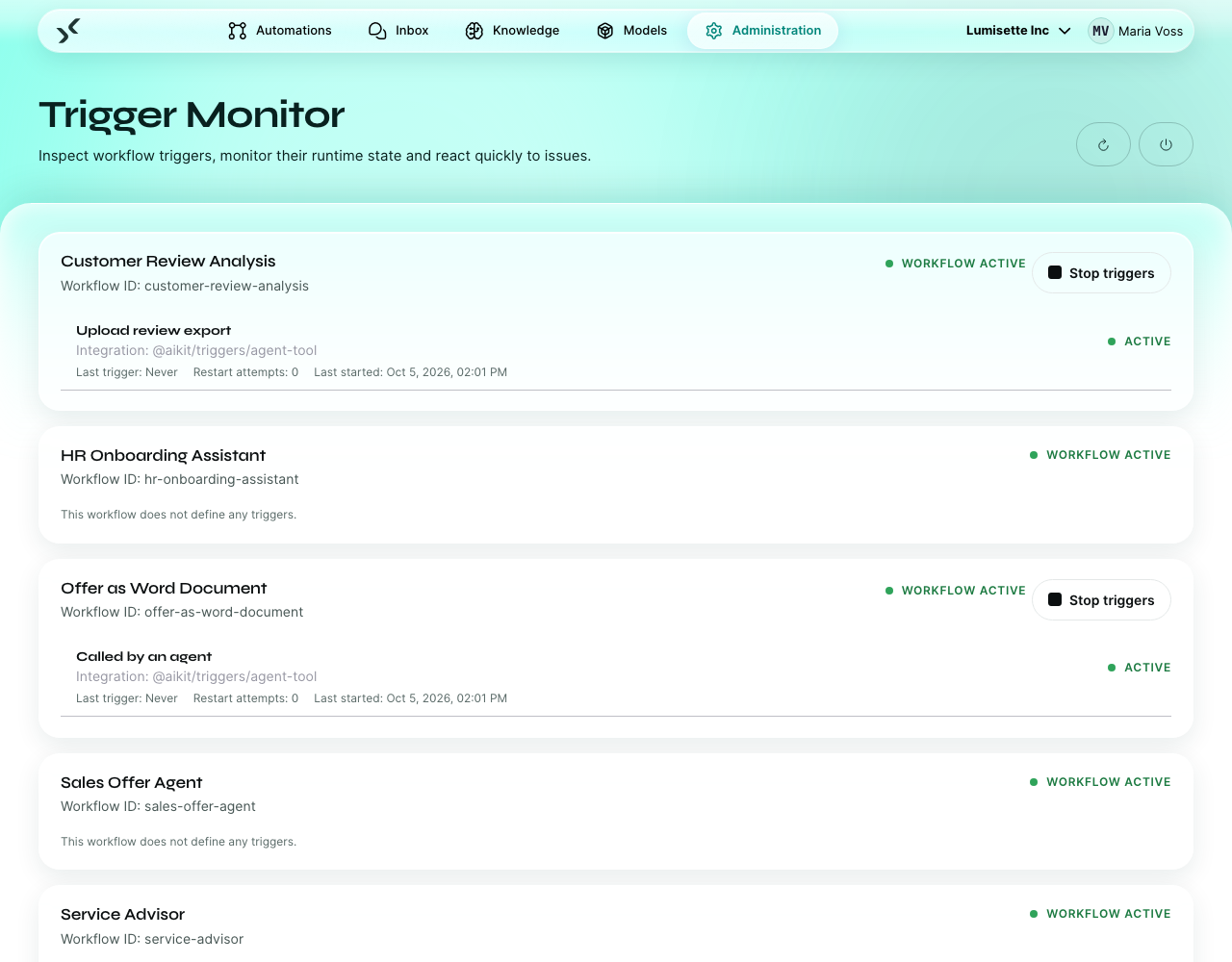
Most of the time, the page is a sea of green. The valuable moment is when one row is red.
When a trigger is red
Click the row to see the error message the trigger reported. Common causes by trigger type:
| Trigger | Common cause |
|---|---|
| E-Mail Inbox | IMAP credentials wrong or revoked. Mail server unreachable. |
| Webhook | None expected — webhooks rarely fail at the trigger level. Errors come from missing config (e.g. the shared key is empty). |
| Database Listener | Database unreachable. SQL invalid. Credentials revoked. |
| Filesystem Watcher | Watched path does not exist or is not readable. |
| Cloud Storage | MinIO credentials wrong or bucket missing. |
| Calendar (ICS) | URL no longer serves a valid feed. |
| Google Calendar | OAuth connection revoked on the Google side. |
| Cron | Almost never fails — cron expressions are validated at save time. |
The fix is usually:
- Edit the trigger configuration in the workflow editor.
- Update the credential (re-paste the password, refresh the OAuth connection, …).
- Save.
- Come back to the Trigger Monitor. The trigger should attempt to start within seconds; if not, use Restart all or Start all (described below).
Available actions
- Refresh — re-fetch the current status of all triggers.
- Restart all — restarts every running trigger. Useful after a server-wide config change or after support guidance.
- Start all for one workflow — restarts only the trigger of a specific workflow. Use this when you have just fixed one configuration and don't want to touch the others.
Restart operations interrupt in-flight jobs for those triggers. They are safe but momentarily disruptive — running webhook calls return errors, scheduled jobs miss their slot.
How the monitor fits in with deactivating
The toggle in the workflow editor (active / inactive) and the Trigger Monitor's status are related but distinct:
- The toggle says whether the trigger should be running.
- The monitor says what state the trigger actually is in.
When you set a workflow inactive, the monitor shows Stopped. When you set it active again, the monitor moves through Pending → Starting → Running within seconds. Errors are the exception; that is what makes them stand out.
Recommendations
- ✅ Check the Trigger Monitor once a day for any installation in production. Red rows tend to stay red until someone looks.
- ✅ Treat Error as the only status that needs attention. Pending / Starting / Restarting are transient by definition.
- ✅ Pair the monitor with an external alert (a simple cron'd script that scrapes the status and pages someone on errors).
- ⚠️ Restarting all triggers is fine, but it does momentarily disrupt active triggers. Prefer Start all for one workflow when you only fixed one thing.
- ⚠️ A trigger in Error state may auto-recover on its own (transient network issues). Wait a minute before assuming you need to intervene.
- ❌ Do not delete a workflow purely to make a red trigger go away. Deactivate the trigger instead — the workflow is the source of truth for the configuration.
What to do next
- Configuration Health — the server side of the same picture.
- Automations → Workflows — fix the trigger from inside the workflow.